Recruiterbox Tips: Customizing a job posting.

Recruiterbox Tips: Customizing a job posting.
Adding questions to your job application form.
At Recruiterbox we offer a flexible and easy to use system for creating job applications and managing the workflow behind the scenes.
To watch a screen cast of the guide above — please click here.
In addition to the standard form for an opening, you can also add custom questions to further screen candidates.
What are questions?
With questions you can customize your form to include fields like:
- Additional File Uploads (like a portfolio)
- A paragraph of free form text.
- Drop down List (like choosing a word that what describes them best?)
How to add custom questions to your application?
For an existing opening, you can access the “Add a Question” option from:
Dashboard -> Openings -> Select the opening.
You can use the guide below to add a question.
For a new opening, simply follow the steps to create a new application form. Once you reach the summary screen, you can add a question using the guide below.
To add a question to an opening, click on “Customize Application Form” on the right menu.

Once you click on “Customize Application Form” you see a screen with your existing fields and a option to “Add a Question”:

Click on “Add a Question” button to access the options available:
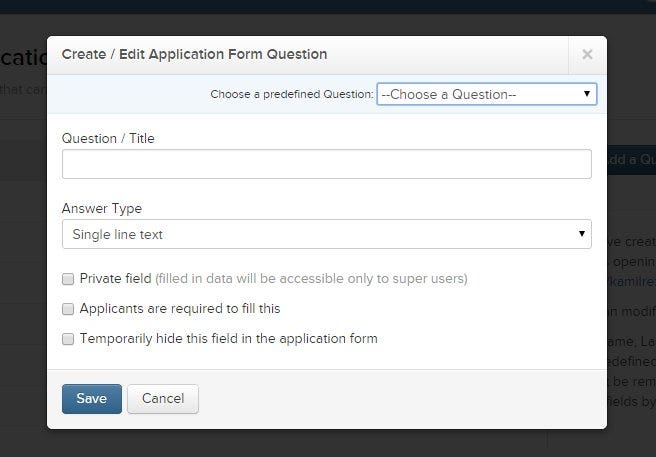
This is where the magic happens. You can add a title and select the type of answer from the drop-down list. If your workflow requires it, you can even restrict the viewing rights to administrators only.
Add the question you wish to add, check the appropriate boxes and click save when your down.
How to verify your question has been added.
You have just added a custom question to your opening form. You can check the finish form on your job URL in the openings in your dashboard:
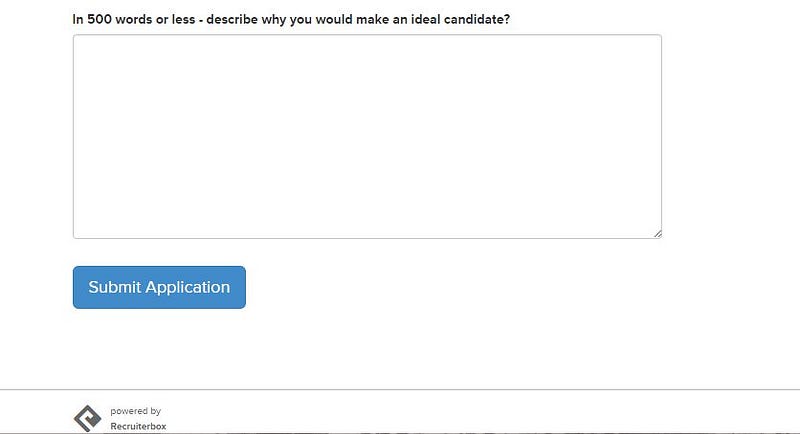
Voila!
Thank you for being a Recruiterbox user. We will be adding more features and options in the coming months. In the meantime if you have any questions, comments or concerns please don’t hesitate to reach out.